* Initial dev for container copy

* remove padding from label

* Added Copy Job prerequisites screen

* Added hooks to evaluate reader role access

* added copyjob pre-requsite screen along with it's validations

* Added monitor copy job list screen

* added copy job list refresh and reset functionality

* remove arm token dependency

* fetch account details from account id instead of context

* Fix lint & typescript checks

* show copyjob screen from portal navigation

* adding copy job details screen

* remove duplicate code & show sql accounts only

* ui fixes for list job page

* pending icon

* copy job details screen ui

* reset .vscode/settings.json

* Fixed existing UTs

* disabling action buttons until it's in progress

* fixed formatting

* Adding loader on submit button and show job creation errors in the panel itself

* updating disabling action menu item logic

* added custom pager

* fix lint and ts errors

* updating file names and removing comments

* remove comments

* modularize the arom common code

* Adding content and removing tooltip

* updating job details screen

* updating online copy enabled screen

* Adding below changes
- Don't show permission screen for same account in offline mode
- Don't show identity permissions for same account in online mode
- Show error message if selected containers are identical
- Update abort signal messages

* added feedback code from explorer

* Add tooltips and long polling
- Added tooltips to permission sections
- Implemented long polling for PITR and online copy enabled sections
- Long polling automatically stops after 15 minutes
- After polling ends, a refresh button will be displayed

---------

Co-authored-by: nishthaAhujaa <nishtha17354@iiittd.ac.in>
* [accessibility-2262594]: [Keyboard Navigation - Azure Cosmos DB - Data Explorer]: Keyboard focus is not retaining back to 'more' button after closing 'Delete container' dialog.

* Optimize closeSidePanel: add timeout cleanup to prevent memory leaks and ensure proper focus behavior

---------

Co-authored-by: Satyapriya Bai <v-satybai@microsoft.com>
[Preview this branch](https://cosmos-explorer-preview.azurewebsites.net/pull/762?feature.someFeatureFlagYouMightNeed=true)
The main change in this PR fixes the snapshot functionality in the Publish pane-related components. Because the code cell outputs are now rendered in their own iframes for security reasons, a single snapshot of the notebook is no longer possible: each cell output takes its own snapshot and the snapshots are collated on the main notebook snapshot.
- Move the snapshot functionality to notebook components: this removes the reference of the notebook DOM node that we must pass to the Publish pane via explorer.
- Add slice in the state and actions in notebook redux for notebook snapshot requests and result
- Add post robot message to take snapshots and receive results
- Add logic in `NotebookRenderer` to wait for all output snapshots done before taking the main one collating.
- Use `zustand` to share snapshot between Redux world and React world. This solves the issue of keeping the `PanelContainer` component generic, while being able to update its children (`PublishPanel` component) with the new snapshot.
Additional changes:
- Add `local()` in `@font-face` to check if font is already installed before downloading the font (must be done for Safari, but not Edge/Chrome)
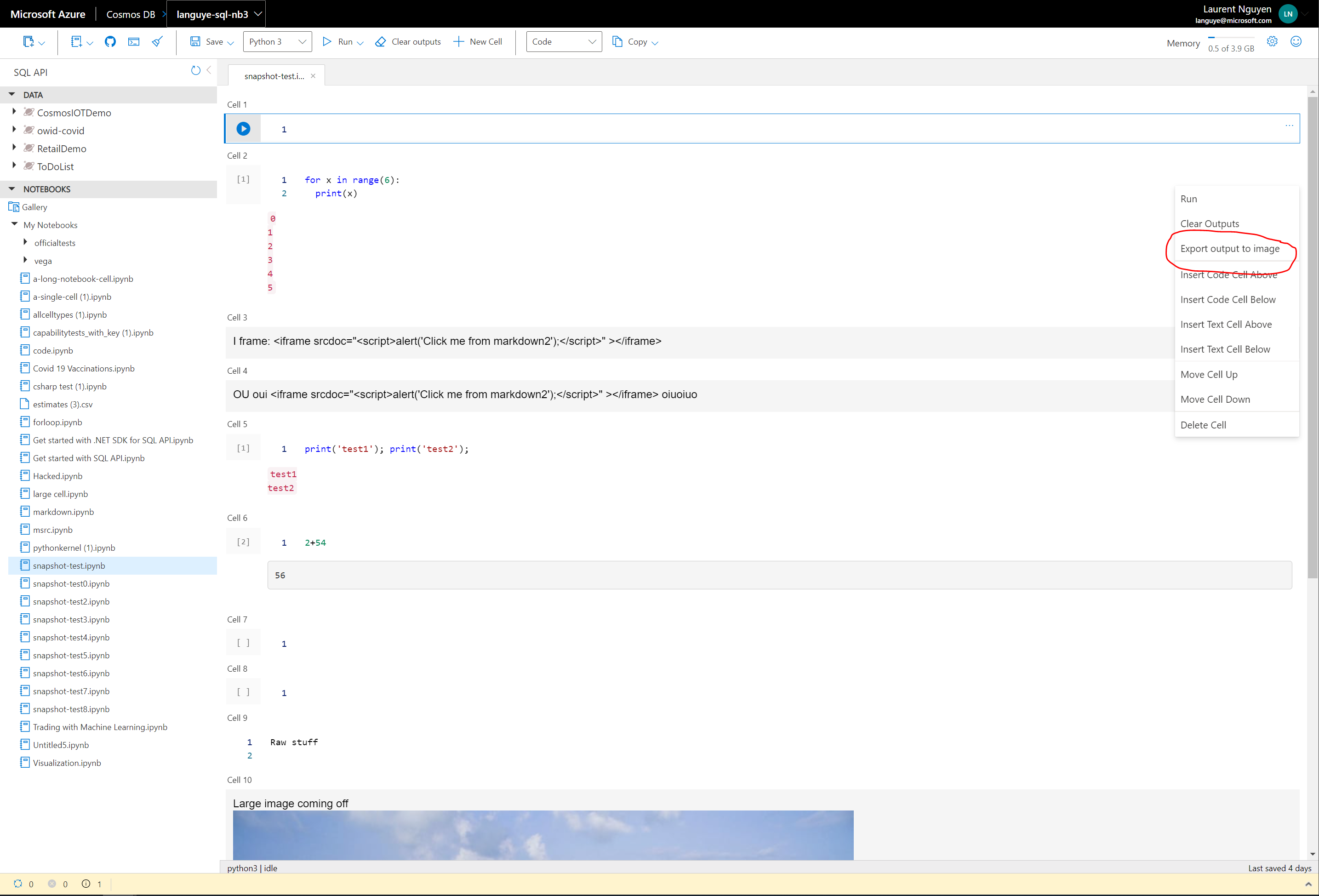
- Add "Export output to image" menu item in notebook cell, since each cell output can take its own snapshot (which can be downloaded)